
My settings reset after a Windows update
An older Windows update could reset Contextli to defaults. It is fixed from version 1.6.17. Finish setup, set your hotkey and mic again, then update.
On this page
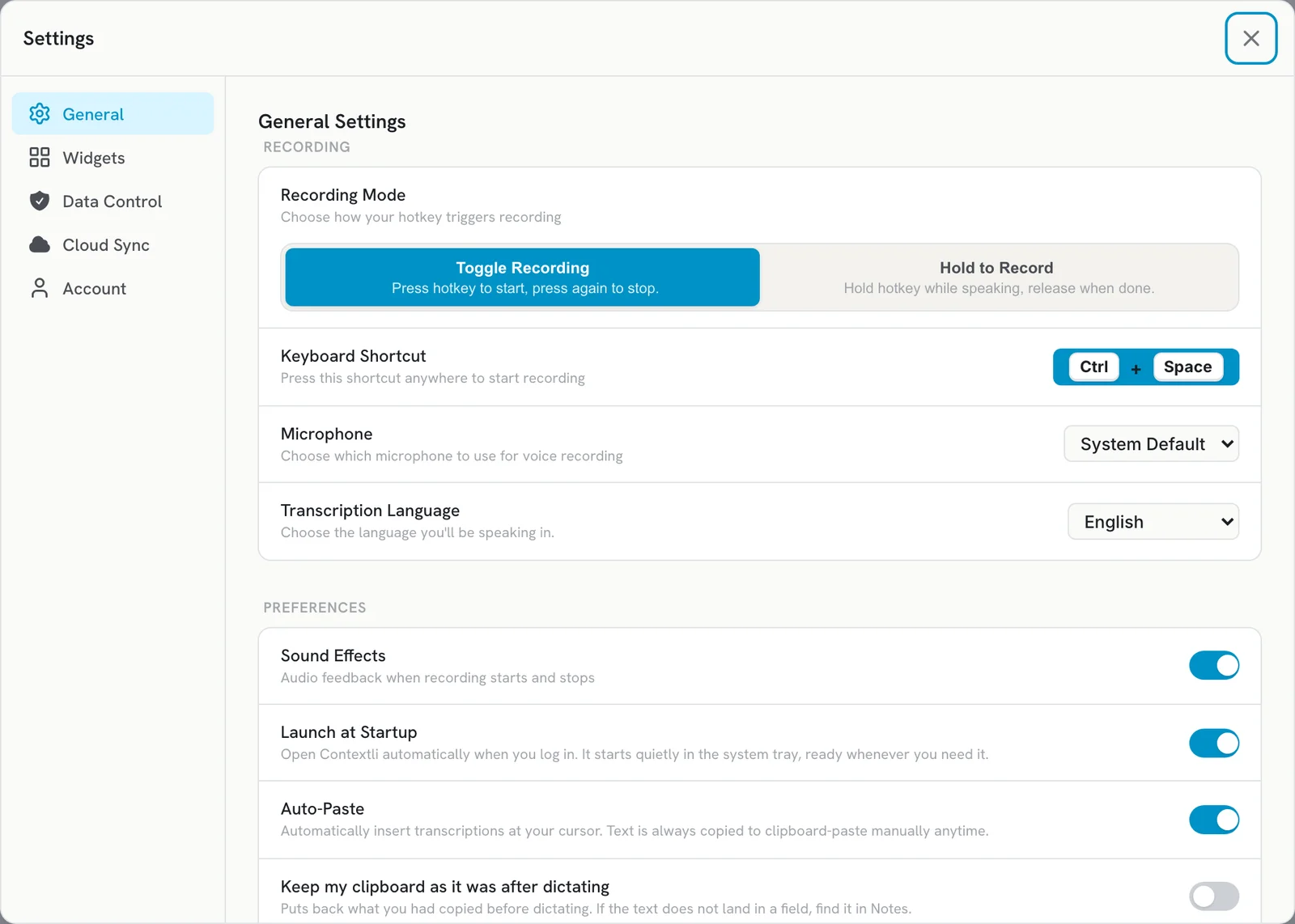
An older Windows update could reset Contextli’s settings, so it acts like a fresh install and the hotkey goes back to Ctrl+Space. This is fixed from version 1.6.17. Finish the setup screens, set your hotkey and microphone again, and update to the latest version.
Get working again
- Open Contextli and finish the setup screens (sign in, microphone and hotkey).
- Open Settings > General and check Keyboard Shortcut. It is back to the default Ctrl+Space. If you used a different one, set it again. See Change your recording hotkey.
- Pick your microphone again under Microphone.
- Check Recording Mode and your Widgets settings if you had changed them.
Update so it does not happen again
Install the latest version: open Settings > General > App Updates and click Check now, or download it from contextli.com/download. From 1.6.17 on, updates keep your settings and notes. See Update Contextli to the latest version.
About your notes
- Newer updates save a backup of your settings and notes to
%LOCALAPPDATA%\Contextli-update-backupbefore installing, and Contextli restores it on the next start if needed. - If you had Cloud Sync on, your notes are safe in the cloud and come back once you sign in and turn sync on again. See Sync notes and contexts across your devices.
Avoid losing data
- Do not uninstall Contextli to update it. Uninstalling on Windows deletes
%APPDATA%\Contextli, which holds your settings and local notes. Run the new installer over the old version instead. - Turn on Cloud Sync if your plan includes it, so your notes are backed up.
If something is still missing, email [email protected] and tell us your Contextli version.
Related articles
Did this answer your question?
Thanks for letting us know.Thanks, we will improve this article. Want a hand right now?
Still need help?
Chat with us and get an answer in a few minutes.