
Text is not pasted where my cursor is
Your text is always copied and saved in Notes, so press Cmd+V or Ctrl+V. To fix auto-paste, check Auto-Paste in Settings and, on Mac, Accessibility access.
On this page
Your dictation is always copied to the clipboard and saved in Notes, so you can press Cmd+V (Mac) or Ctrl+V (Windows, Linux) right away. To fix auto-paste for next time, check that Auto-Paste is on and, on Mac, that Contextli has Accessibility access.
1. Check Auto-Paste is on
- Open Settings > General.
- Under Preferences, make sure Auto-Paste is on.
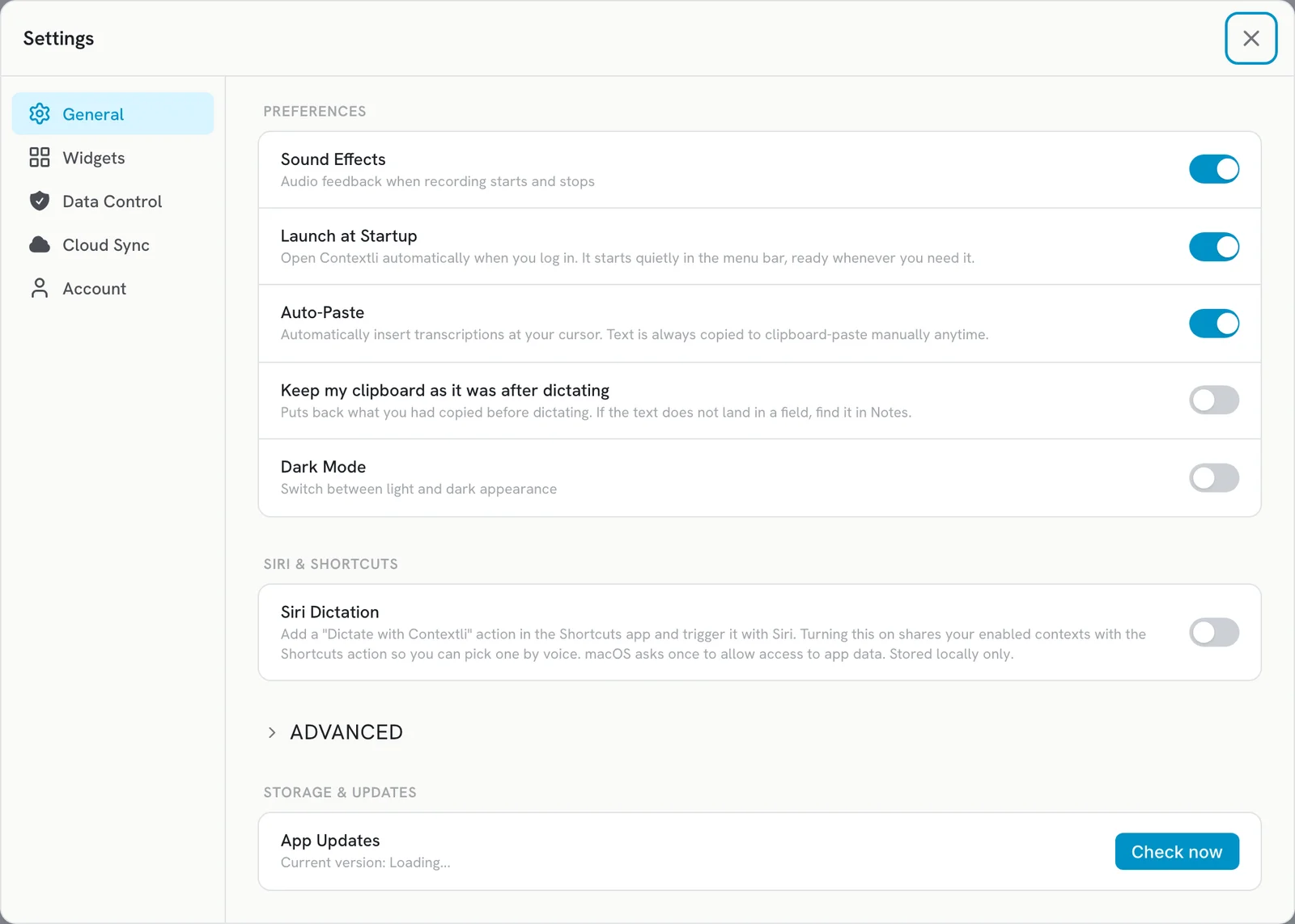
2. Click into a text field before you dictate
Contextli pastes where your cursor is when the dictation finishes. Click inside the box you want to type in first, and stay in that window until the text appears.
3. Mac: give Contextli Accessibility access
- Open System Settings > Privacy & Security > Accessibility.
- Turn on Contextli.
- If it is already on, turn it off and on again, then quit and reopen Contextli.
See Grant microphone and Accessibility permissions on Mac.
4. Windows: apps running as administrator
Windows blocks pasting into apps that run as administrator. Contextli then shows Not pasted and the text is on your clipboard. Press Ctrl+V in that app.
The same notice appears when Windows will not switch back to the window you started in. Click into that window and press Ctrl+V.
Find the text later
Open Notes in Contextli and click Copy on the note. You can also use Copy Last Transcript from the tray or menu bar icon.
My clipboard gets overwritten
Turn on Keep my clipboard as it was after dictating in Settings > General. It needs Auto-Paste on. If text then does not land in a field, find it in Notes.
Related articles
Did this answer your question?
Thanks for letting us know.Thanks, we will improve this article. Want a hand right now?
Still need help?
Chat with us and get an answer in a few minutes.