
Find, copy and retranscribe your notes
Every dictation is saved on the Notes page. Search it, open a note to copy or edit it, or click Retranscribe to process the audio again.
On this page
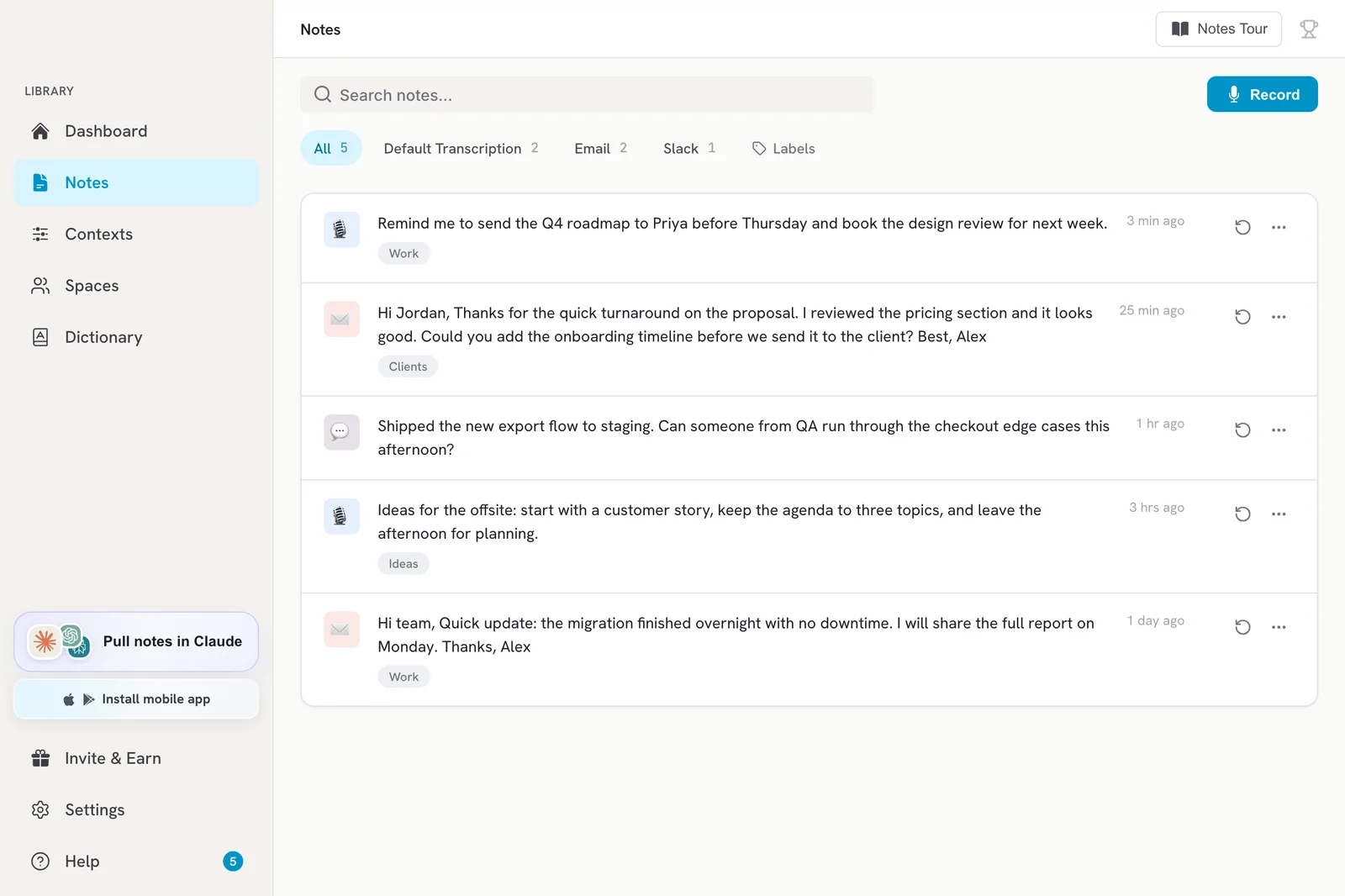
Every dictation is saved as a note on the Notes page, even if it was not pasted anywhere. Search for it, open it to copy or edit the text, or click Retranscribe to process the audio again.
Find a note
- Click Notes in the sidebar.
- Type in Search notes… to find a note by its words.
- To narrow the list, click a context filter tile (for example Email) or use the Labels filter.
Copy or edit a note
- Click the note to open it.
- Click Copy to copy the text to your clipboard.
- To change the text, click Edit, make your changes and click Save.
- If the note was rewritten by AI, switch between AI Output and Transcript to see the Raw transcription of what you actually said.
Other actions
Open the More actions menu (three dots) on a note row:
- Play: listen to the recording.
- Copy: copy the text.
- Show in Folder: open the audio file on your computer.
- Delete: remove the note.
To delete several notes at once, select them and delete them together.
Retranscribe a note
If a transcript looks wrong or failed, click Retranscribe on the note row. Contextli processes the saved audio again. This is useful after you add words to the dictionary or change the transcription language.
Transcribe an audio file
Click Upload File on the Notes page and pick an audio file to turn it into a note.
Note status messages
| Message | What to do |
|---|---|
| Transcription in progress… | Wait a moment. |
| Recording was interrupted. Click retry to transcribe. | Click retry. |
| No audio was captured. Check your microphone. | Check Settings > General > Microphone. |
| Transcription failed. Click retry to try again. | Click retry. If it keeps failing, contact [email protected]. |
Good to know
- Notes are stored on your computer. Turn on Cloud Sync to see them on other devices.
- There is no bulk export in the app. You can search and read your notes from Claude or ChatGPT with the Contextli connector.
Related articles
Did this answer your question?
Thanks for letting us know.Thanks, we will improve this article. Want a hand right now?
Still need help?
Chat with us and get an answer in a few minutes.