
Improve accuracy for names and technical terms
Add names, brands and jargon to Dictionary > Vocabulary with Add Term, set the right Transcription Language, and use a good, specific microphone.
On this page
Add the names, brands and jargon Contextli gets wrong to Dictionary > Vocabulary with Add Term. Also check that Transcription Language matches the language you speak and that the right microphone is selected.
Add words to your vocabulary
- Click Dictionary in the sidebar.
- Click the Vocabulary tab.
- Click Add Term.
- In Word or name, type the word exactly as it should be spelled, for example a colleague’s name, your company or a product term.
- Click Save (or press Enter).
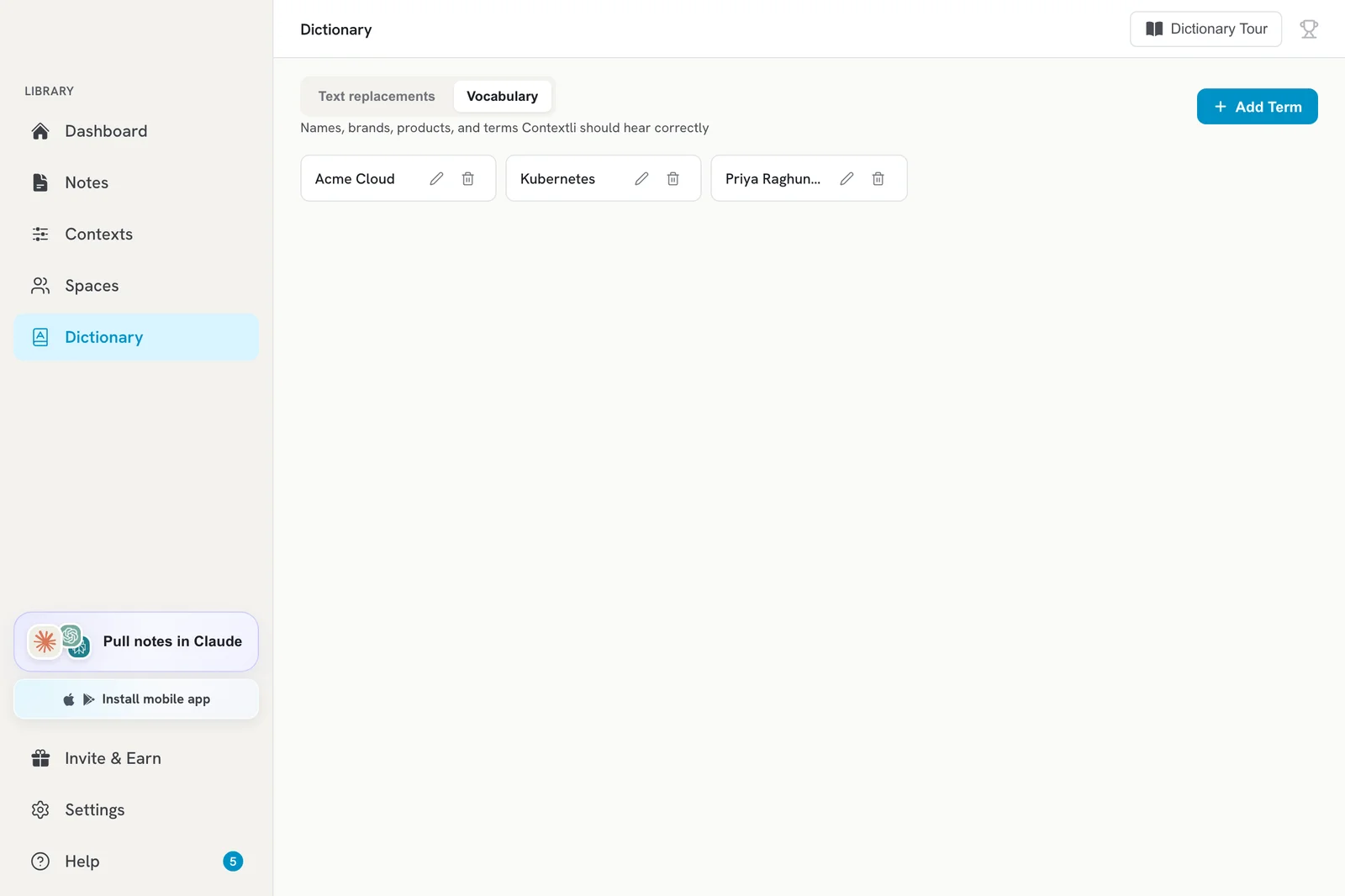
Vocabulary helps Contextli recognise these words when you speak. It does not replace text. If you want a spoken phrase turned into different text, use a text replacement instead.
Fix older notes
After adding terms, open Notes and click Retranscribe on a note to process its audio again with your new vocabulary.
Other things that improve accuracy
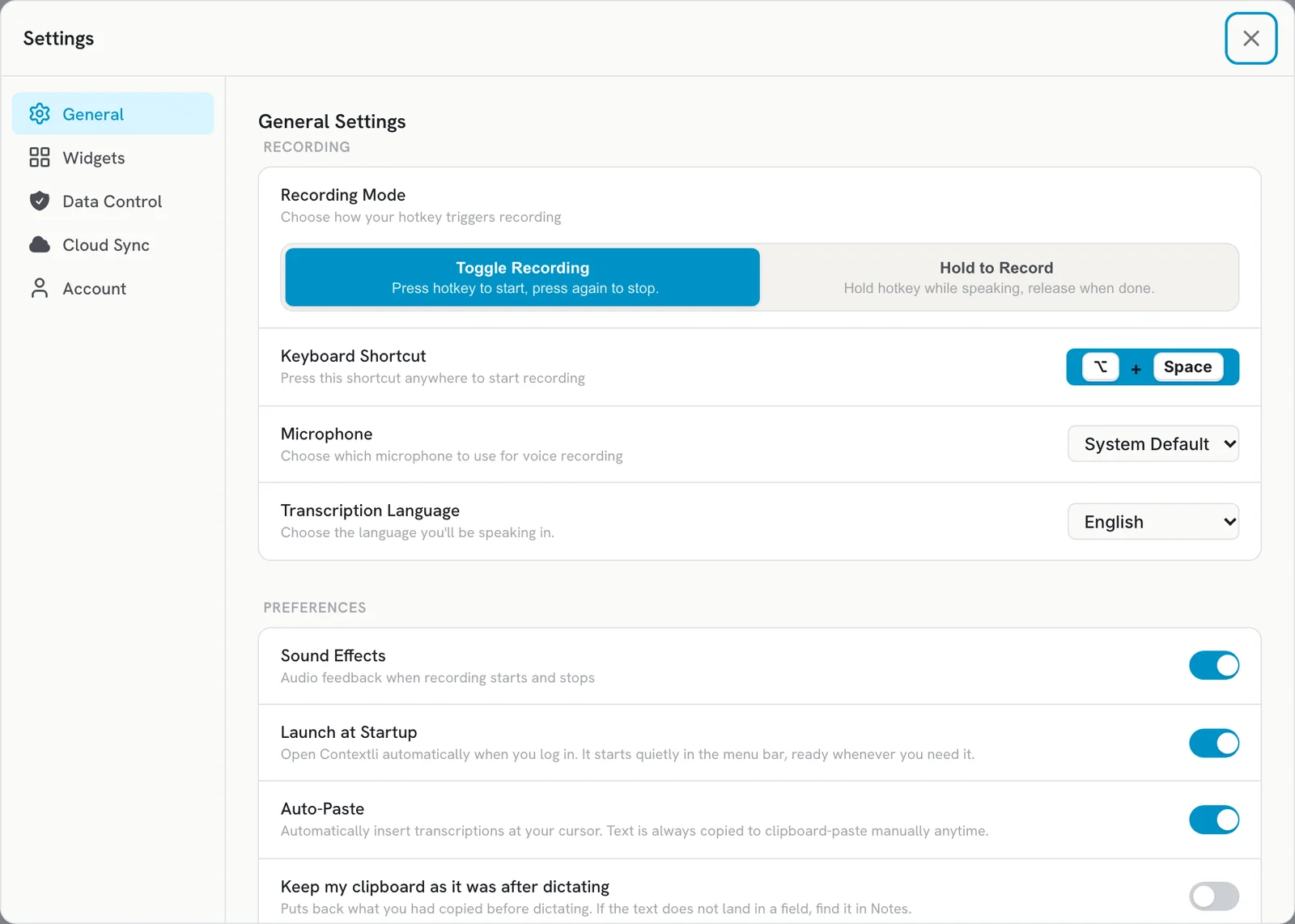
- Set the right language: Settings > General > Recording > Transcription Language. Pick the language you will speak. There is no automatic detection, so a wrong setting gives poor results.
- Pick your actual microphone: Settings > General > Microphone. Choose the specific device rather than System Default.
- Wait for the start sound before you speak, so your first words are not cut off.
- Use a decent mic close to your mouth, in a quiet room.
- Turn on Polished Transcription if you want punctuation and grammar fixed. See Turn Polished Transcription on or off.
Team vocabulary
Vocabulary can be shared with your team through a Space, so everyone gets the same names and terms right. Items shared with you appear under Shared with Me on the Dictionary page.
Still getting it wrong?
Email [email protected] with an example of what you said and what Contextli wrote.
Related articles
Did this answer your question?
Thanks for letting us know.Thanks, we will improve this article. Want a hand right now?
Still need help?
Chat with us and get an answer in a few minutes.