
Change the language you dictate in
Open Settings > General and choose the language you will speak under Transcription Language. Contextli does not auto-detect the language.
On this page
Open Settings > General and choose the language you will speak under Transcription Language. Contextli does not detect the language automatically, so set it to the language you actually talk in.
Change the language
- Click Settings at the bottom of the sidebar.
- On the General tab, under Recording, find Transcription Language (“Choose the language you’ll be speaking in.”).
- Pick your language from the list. You will see Language Updated when it is saved.
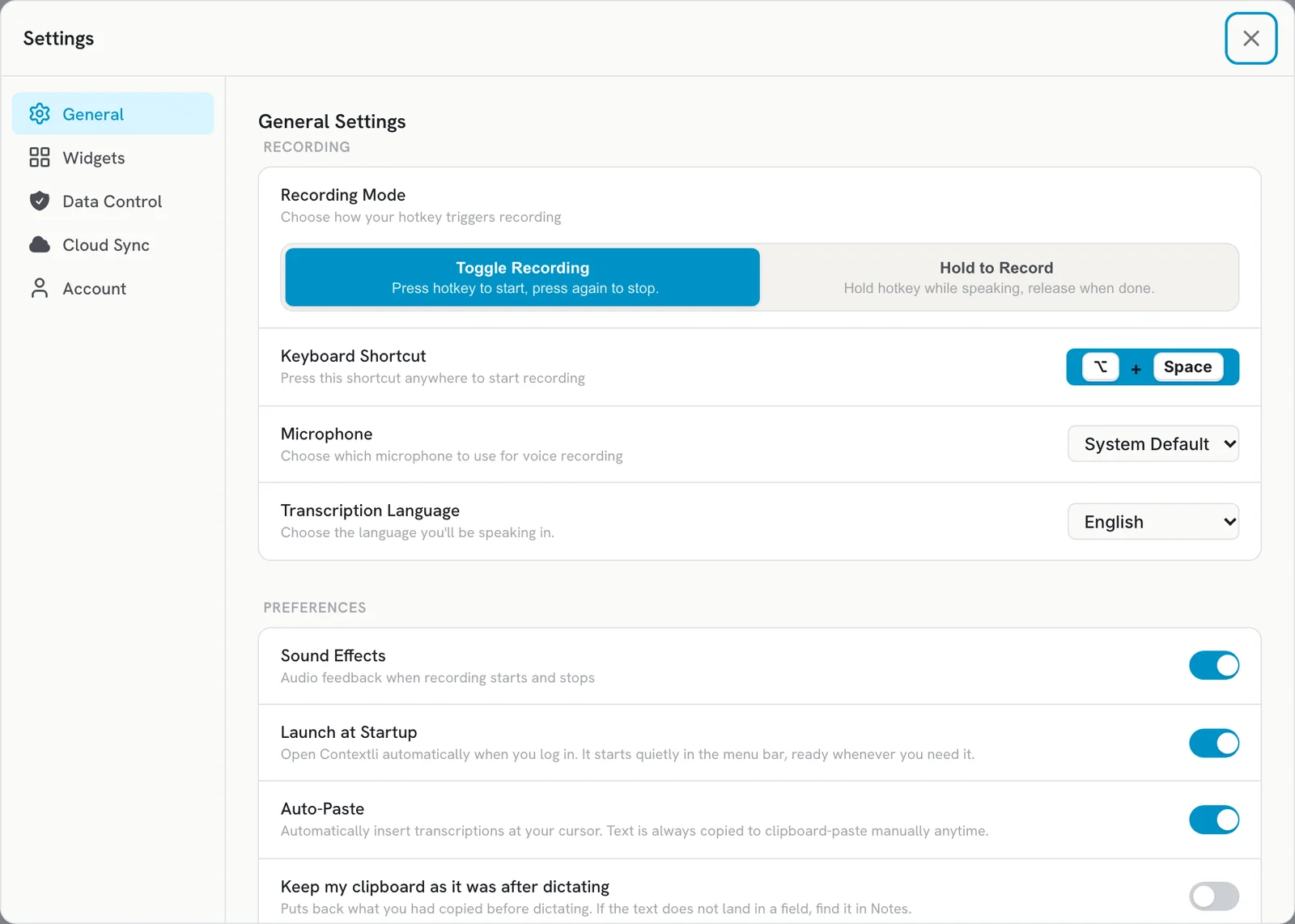
You also choose a language during setup on the Let’s Get You Set Up screen. Changing it later in Settings replaces that choice.
If you speak more than one language
Contextli transcribes in the language you selected. If you switch to another language for a while, change the setting first. Dictating in a language other than the selected one gives poor results.
Get names and terms right
- Add names, brands and jargon to Dictionary > Vocabulary so Contextli hears them correctly.
- Use a good microphone and pick it in Settings > General > Microphone.
See Improve accuracy for names and technical terms.
Troubleshooting
- Text comes out in the wrong language or as gibberish: check that Transcription Language matches what you speak.
- The language setting is different on another computer: settings like this are saved per device. Set it on each computer.
Related articles
Did this answer your question?
Thanks for letting us know.Thanks, we will improve this article. Want a hand right now?
Still need help?
Chat with us and get an answer in a few minutes.