
Dictate hands-free with a mouse button, trackpad or Siri
Map a mouse button, foot pedal or trackpad gesture to your Contextli hotkey, or on Mac turn on Siri Dictation to start Contextli by voice.
On this page
Map a spare mouse button, a foot pedal or a trackpad gesture to your Contextli hotkey, or on Mac turn on Siri Dictation to start Contextli by voice. Add Press Enter After Paste to send chat messages without touching the keyboard.
Use a mouse button or foot pedal
Contextli starts with a keyboard shortcut, so any device that can send that shortcut can start it.
- Check your hotkey in Settings > General > Keyboard Shortcut (Option+Space on Mac, Ctrl+Space on Windows and Linux by default).
- Open your mouse or pedal software, for example Logitech Options.
- Map a side or top button to that exact shortcut.
- Tap the button once to start dictating and again to stop.
Not sure how? Search for “map [your mouse model] buttons to keyboard shortcuts”.
Use a Magic Mouse or trackpad (Mac)
A Magic Mouse has no extra buttons. A Mac app called BetterTouchTool can map a tap or swipe on the mouse or trackpad to your Contextli shortcut, so one gesture starts or stops dictation.
Start Contextli with Siri (Mac)
- Open Settings > General and find Siri & Shortcuts.
- Turn on Siri Dictation. This adds a Dictate with Contextli action to the Shortcuts app and shares your enabled contexts with it.
- Open the Shortcuts app and set up the action. To use a specific context by voice, make a copy of the shortcut for each context.
- Ask Siri to run it. macOS asks once to allow access to app data.
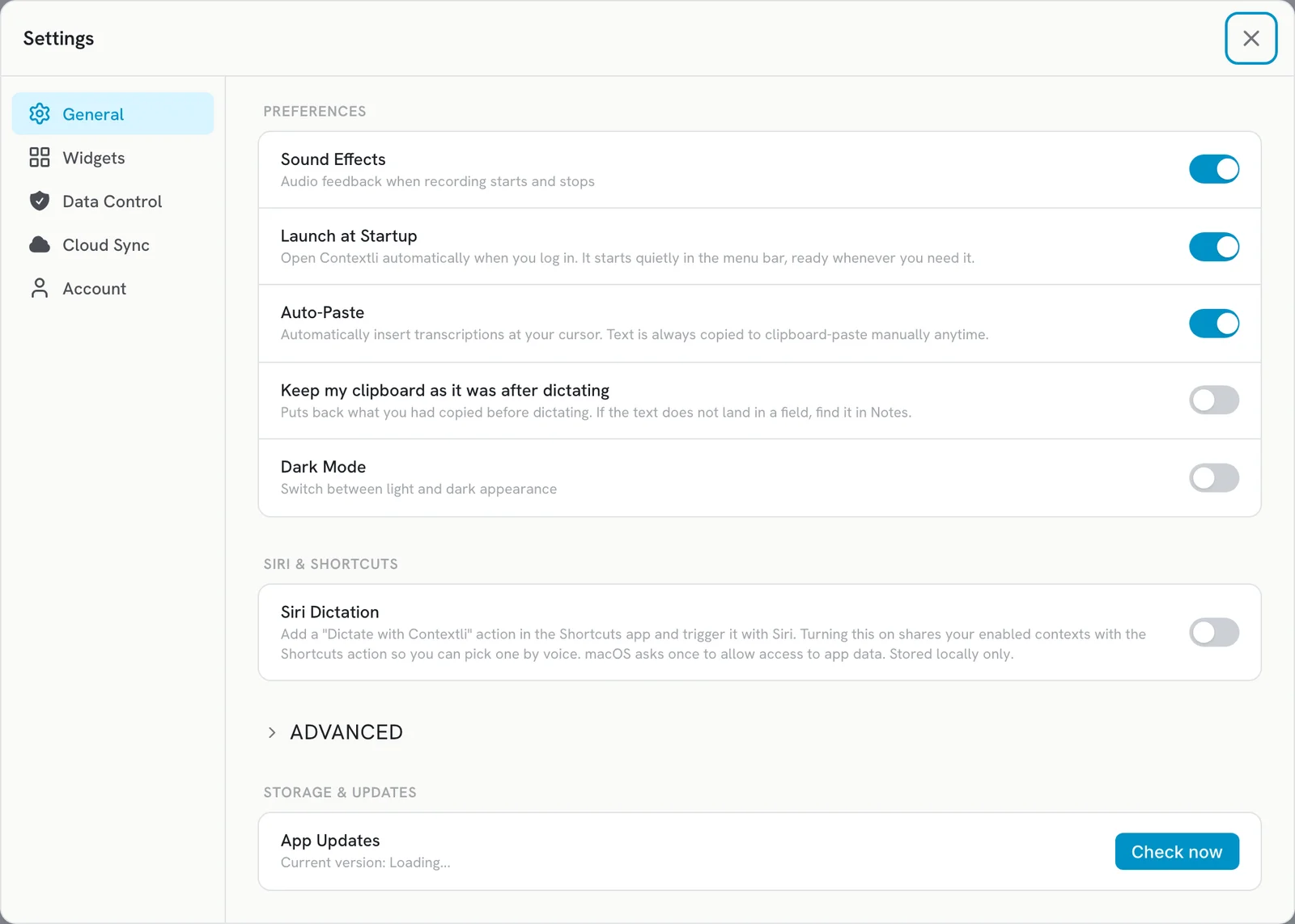
On iPhone, you can trigger dictation with Back Tap (Settings > Accessibility > Touch > Back Tap) through a Shortcut.
Send messages automatically
Auto-Paste is on by default, so text lands at your cursor. To also press Enter after it pastes:
- Open Settings > General and expand Advanced.
- Turn on Press Enter After Paste. It needs Auto-Paste on.
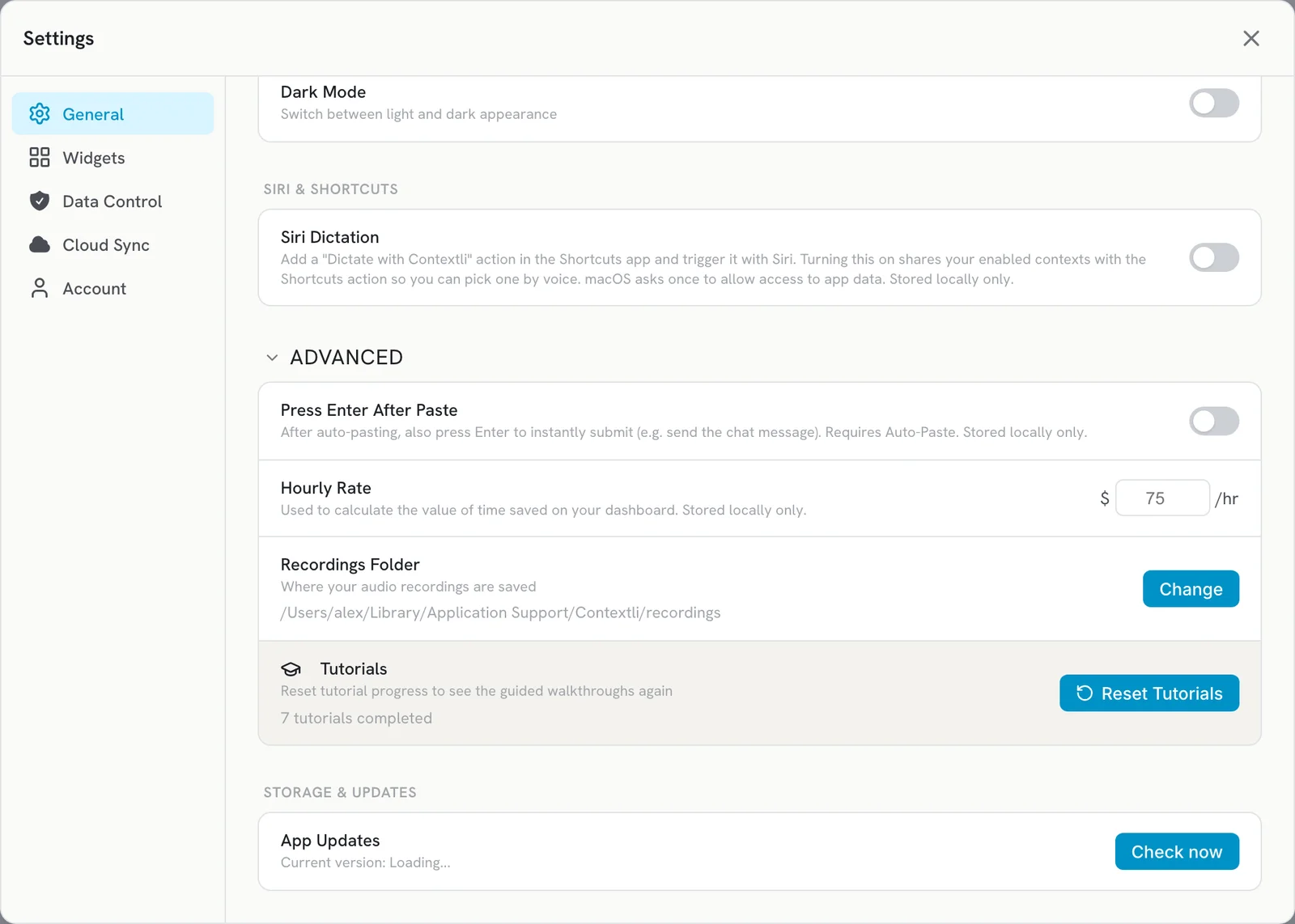
This is great for Slack or WhatsApp. Turn it off for email, where you want to review before sending.
Related articles
Did this answer your question?
Thanks for letting us know.Thanks, we will improve this article. Want a hand right now?
Still need help?
Chat with us and get an answer in a few minutes.