
Use your notes in Claude, ChatGPT and Perplexity
On this page
Add the Contextli connector (<https://mcp.contextli.com/mcp>) in Claude, ChatGPT or Perplexity and sign in with your Contextli email and 6-digit code. The AI can then search and read your notes and contexts right in the chat.
Open the setup steps in Contextli
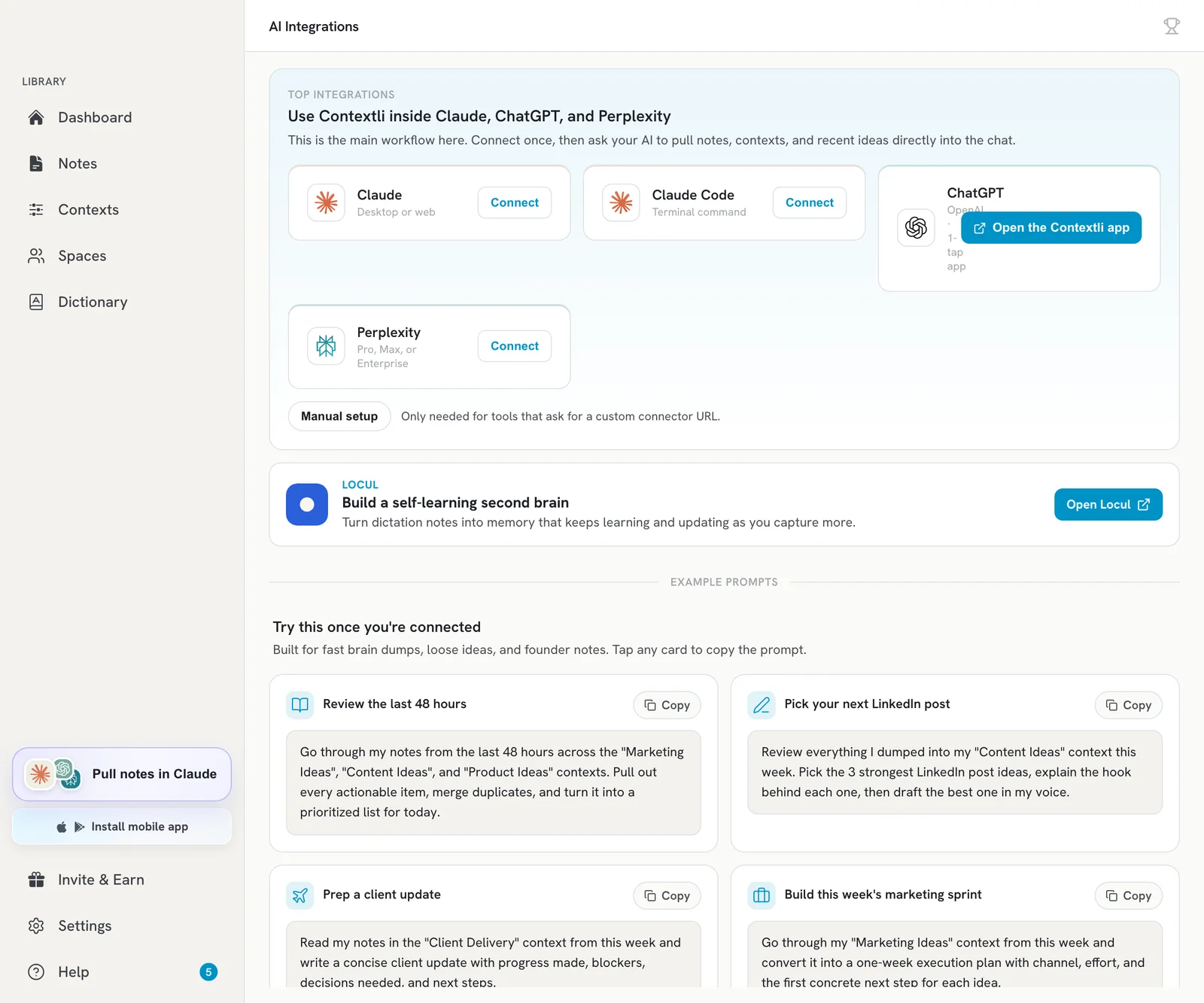
- In the desktop app sidebar, click Pull notes in Claude. This opens the AI Integrations page.
- Click Connect on the app you use (for ChatGPT, Open the Contextli app). Contextli shows the steps and lets you copy the MCP server URL.
Claude (desktop or web)
- In Claude, open Settings, then under Customize click Connectors.
- Open the Add menu (top right) and choose Add custom connector.
- Name it Contextli and paste
<https://mcp.contextli.com/mcp> into Remote MCP server URL. Leave the optional OAuth fields blank. - Click Add, then sign in with your Contextli email and the 6-digit code.
ChatGPT
- On the AI Integrations page, click Open the Contextli app on the ChatGPT card.
- Press Connect (or Use) on the app page in ChatGPT.
- Sign in with your Contextli email and the 6-digit code.
- Ask ChatGPT to use Contextli, for example “summarise my Contextli notes from this week”.
Perplexity (Pro, Max or Enterprise)
- Open your profile menu (bottom left), then Settings, then Connectors.
- Click + Custom connector (top right) and choose Remote.
- Name it Contextli, paste
<https://mcp.contextli.com/mcp>, keep transport on Streamable HTTP, and choose OAuth 2.0. - Tick the risk checkbox and click Add, then click the connector card to finish signing in with your email and 6-digit code.
What the AI can do
- Search and read your notes, and list your contexts and labels.
- Save a new note from the chat, and add labels to a note, when you ask.
- It never edits a note’s text, never deletes anything, and cannot see your billing or settings.
Try: “Go through my meeting notes from the last 7 days and list every follow-up.” The AI Integrations page has more example prompts you can copy with one click.
Troubleshooting
- Connection stopped working: on the AI Integrations page, open the … menu on that app’s card and choose Reset connection. Then connect again from Claude, ChatGPT or Perplexity.
- Wrong account: sign in with the same email you use in the Contextli app.
- Still stuck? Email [email protected].
Related articles
Did this answer your question?
Thanks for letting us know.Thanks, we will improve this article. Want a hand right now?
Still need help?
Chat with us and get an answer in a few minutes.