
Change plan, update your card or download invoices
Open Settings > Account > Manage billing in the app, or request a secure link at contextli.com/manage, to switch plans, update your card or get invoices.
On this page
Open Settings > Account > Manage billing in the desktop app, or request a secure link at contextli.com/manage. From there you can switch plans, update your card and download invoices.
If the billing screen says Billed through the App Store, Apple bills you instead. See Manage or cancel a subscription bought in the App Store.
Open billing in the app
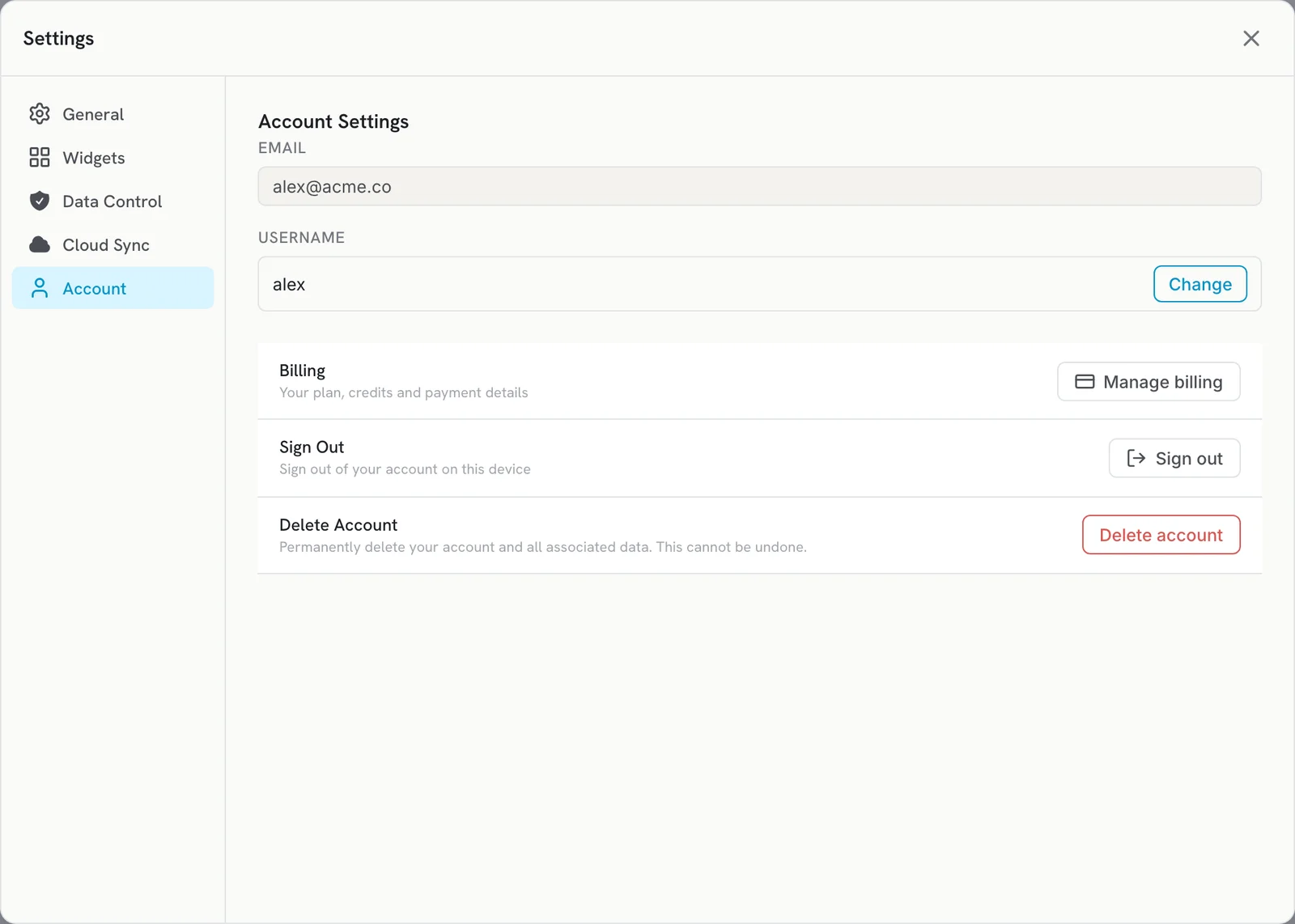
- Open Settings and go to the Account tab.
- Under Billing, click Manage billing.
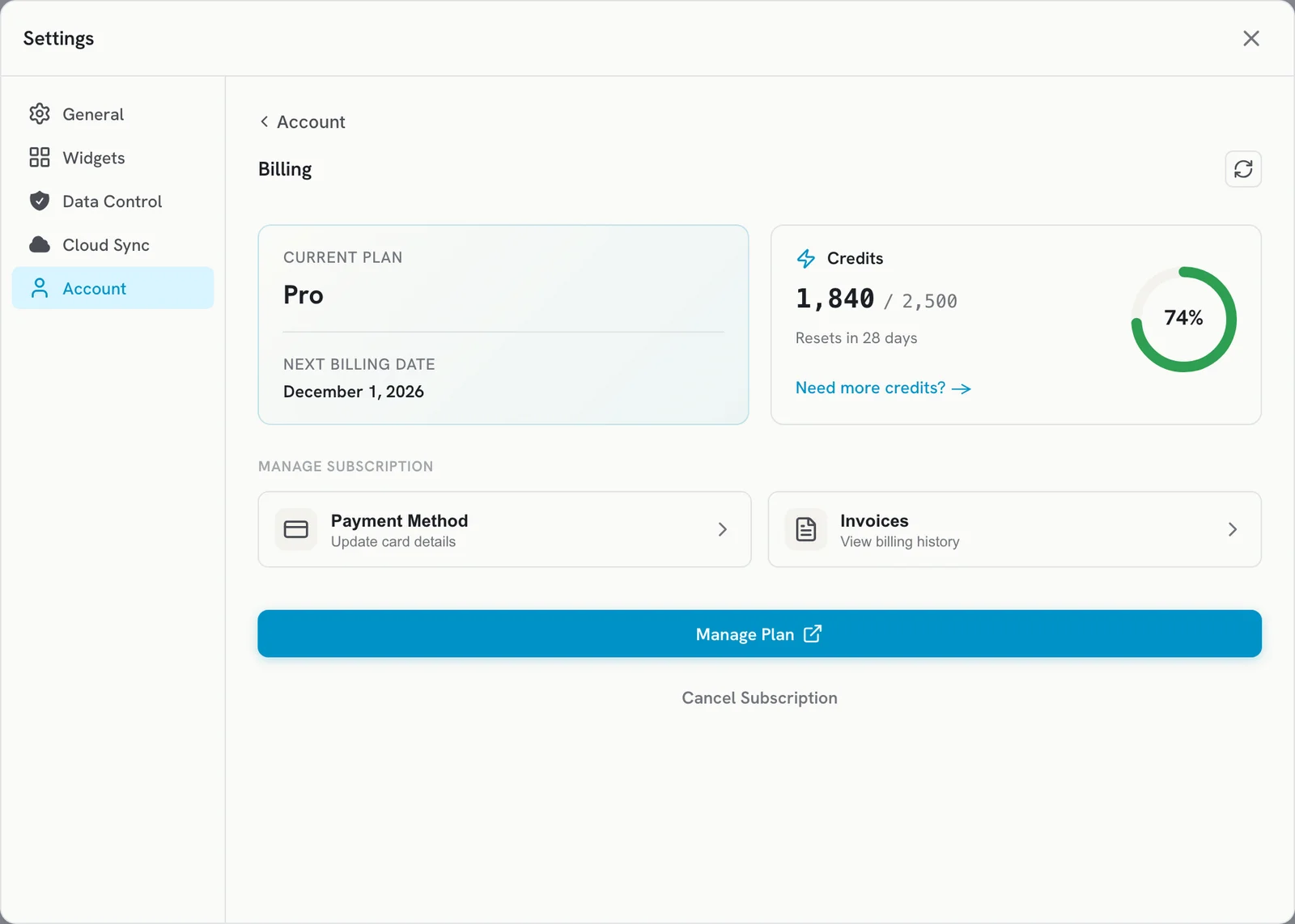
The billing screen shows your Current Plan, your Next billing date, your Credits, and the Manage Subscription options.
Change your plan
- On the billing screen, click Manage Plan.
- On the secure billing page that opens, choose the plan or billing period you want and confirm.
On the Free plan, click Upgrade Plan instead and pick a plan on the pricing page.
Update your card
- On the billing screen, click Payment Method (Update card details).
- Enter your new card on the secure page and save.
Download invoices
- On the billing screen, click Invoices (View billing history).
- Open or download the invoice you need.
Manage billing without the app
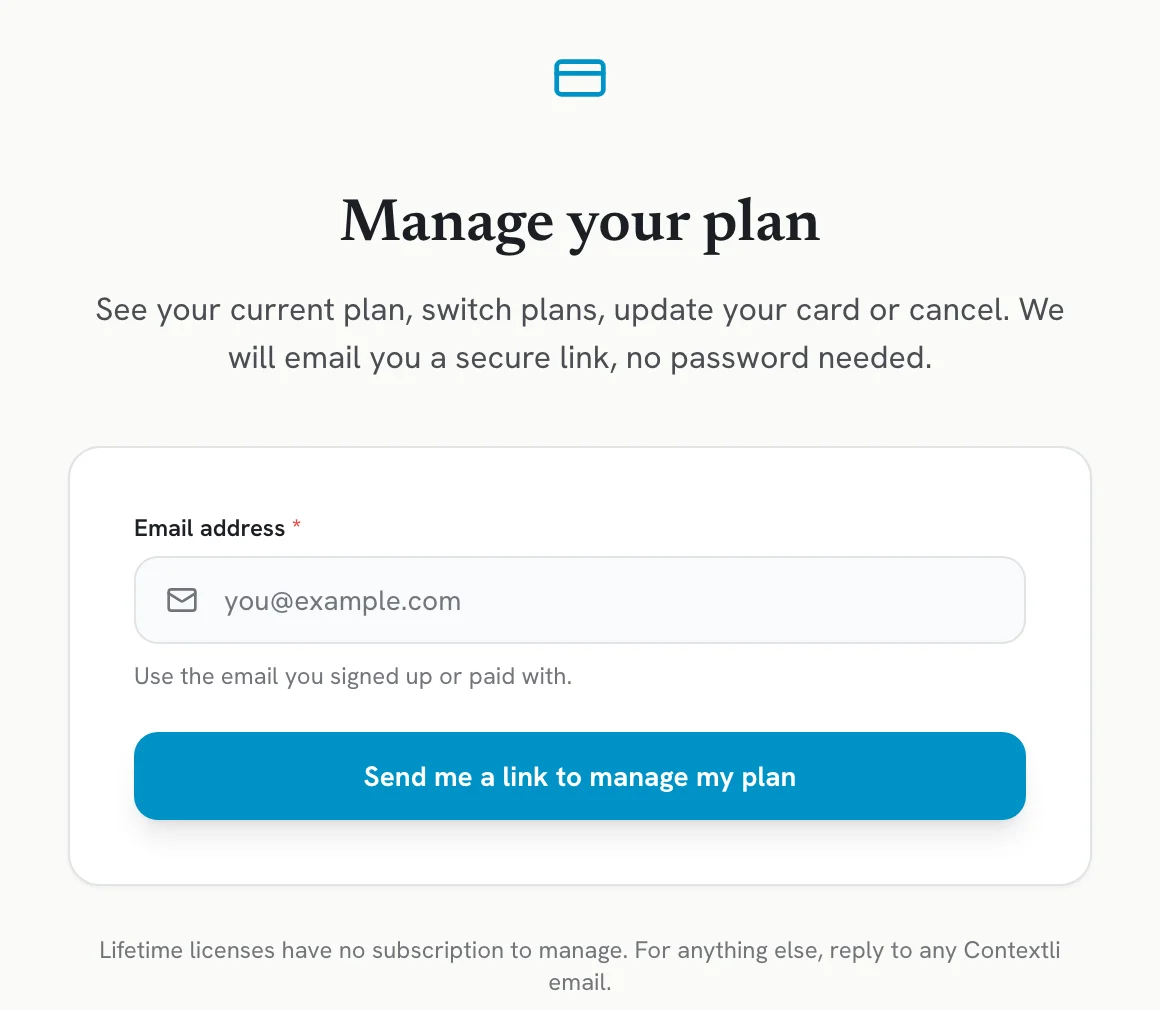
- Go to contextli.com/manage.
- Enter the email of your Contextli account.
- Click Send me a link to manage my plan.
- Open the link in your email. You can switch plans, update your card, see invoices or cancel. No password needed.
Good to know
- Lifetime plans show Lifetime plan, no subscription to manage. There is nothing to renew.
- For plan details, see contextli.com/pricing.
- Need a change to an invoice? Email [email protected].
Related articles
Did this answer your question?
Thanks for letting us know.Thanks, we will improve this article. Want a hand right now?
Still need help?
Chat with us and get an answer in a few minutes.