
Choose Cloud, your own API keys or on-device processing
In Settings > Data Control, pick Contextli Cloud, Your API Keys or Your Device, separately for Transcription and for AI Processing.
On this page
Open Settings > Data Control and pick where your data is processed: Contextli Cloud, Your API Keys or Your Device. You choose separately for Transcription (turning speech into text) and AI Processing (rewriting text with contexts and Polished Transcription).
Change the setting
- Open Contextli and click Settings.
- Click the Data Control tab.
- Under Transcription, click the card you want.
- Under AI Processing, click the card you want.
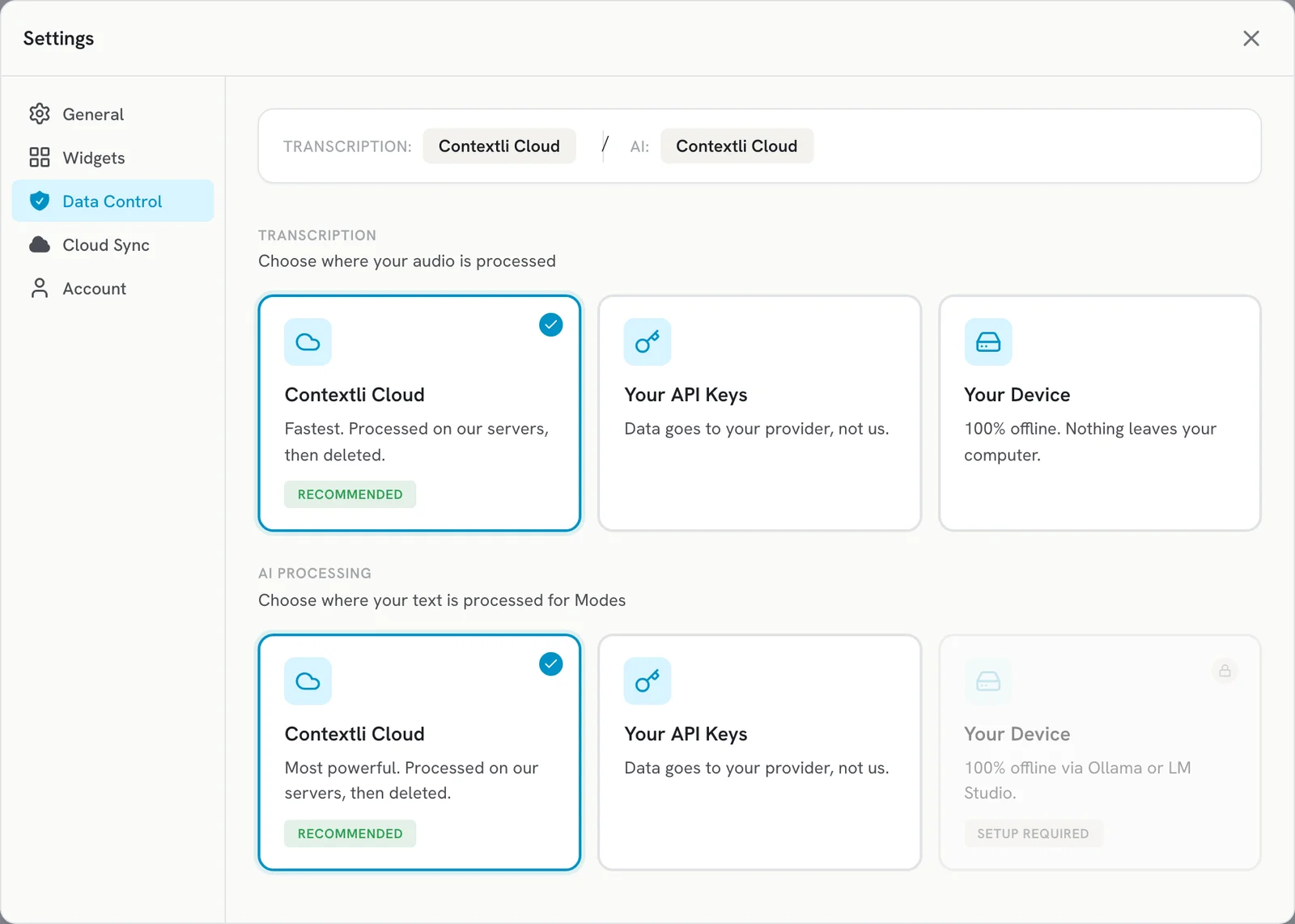
The three options
| Option | What it means | Availability |
|---|---|---|
| Contextli Cloud (Recommended) | Fastest and most capable. Processed on our servers, then deleted. Uses your credits. | All plans |
| Your API Keys | Data goes to your own provider, not to Contextli. Transcription: Deepgram or OpenAI Whisper key. AI: OpenAI or Anthropic key. | Lifetime plans only |
| Your Device | 100% offline. Nothing leaves your computer. | Transcription: paid plans. AI Processing: Pro and Pro Plus |
For plan details see https://contextli.com/pricing.
Set up your own API keys
- Under Transcription or AI Processing, click Your API Keys.
- Choose the provider and paste your API key from that provider’s dashboard.
- Dictate once to test it.
Dictation with your own keys never stops because of Contextli credits; usage is billed by your provider.
Set up on-device transcription
- Under Transcription, click Your Device.
- Pick a preset: Fast (works on most computers), Balanced (recommended for everyday use) or Quality (for powerful computers).
- Wait for the model to download. After that, transcription runs without internet.
Set up on-device AI processing
- Install Ollama or LM Studio on your computer and make sure it is running.
- Under AI Processing, click Your Device and pick a model.
If the card shows SETUP REQUIRED, the local AI app is not installed or not running yet.
Good to know
- On-device processing is slower than Contextli Cloud, especially on older computers.
- The Android app has its own Offline Dictation switch in its settings.
Related articles
Did this answer your question?
Thanks for letting us know.Thanks, we will improve this article. Want a hand right now?
Still need help?
Chat with us and get an answer in a few minutes.